How Members Customize Their Shipments
Last updated: October 21, 2026
Once you've OPENED your wine club package, members will be allowed to view and customize their shipments. Only "Customer Choice" type packages will be customizable. "Wine Makers Choice" packages cannot be customized by the member.
How members customize shipments
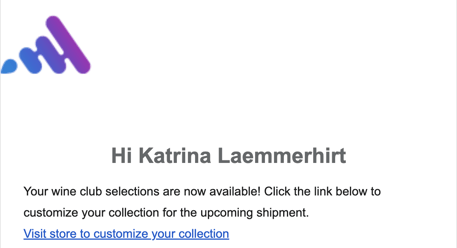
As soon as you OPEN the wine club, your members will receive an email alerting them that the wine club is ready for customization.
Steps:
Members click the link "visit store to customize your collection", they will be directed to your website
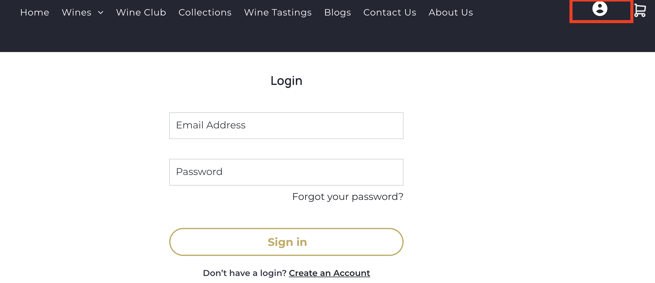
From your website, members log into their account
Members navigate to My Wine Clubs
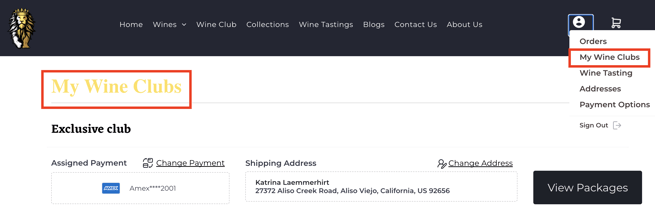
Members click View Packages
Members will see the OPEN package in their account. Here they can select the wines for customization.
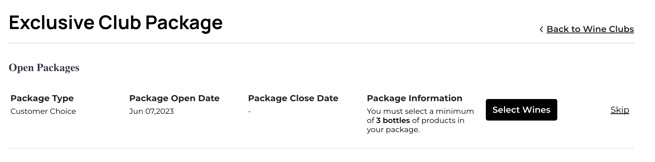
Members can Skip the package if they are allowed to by their wine club terms and conditions
Members choose the wines for the shipment
Only the wines you allowed when creating your package will be visible
Members can choose any wines they want in order to fulfill the minimum, unless the winery specified a minimum number of specific bottles
Members can choose more than the minimum number required
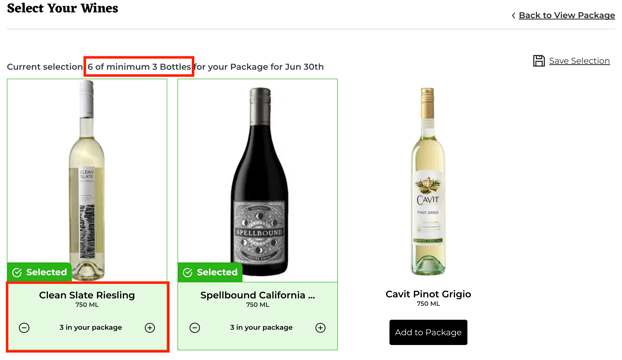
Members click Save Selection
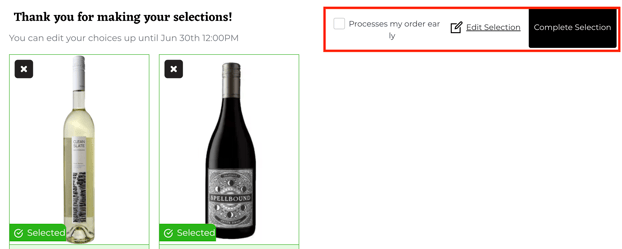
The next screen will give members the choice to process my order early or complete the selection
Process my order early will immediately change the order status in your Corksy portal to "process" meaning that you can fulfill the order early

Complete selection will wait until the close date to change the order type
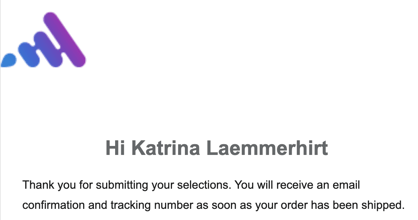
Members will receive an automatic email that their selections will be shipped
Members can go back into their account and change their selections at any time before you fulfill their order. The changes will be automatically updated in your Corksy portal under the customer's wine club order