Adding a Tracking Number to an Order
Last updated: August 28, 2026
Note: The outlined process is specifically for orders being fulfilled externally, outside of the Corksy platform.
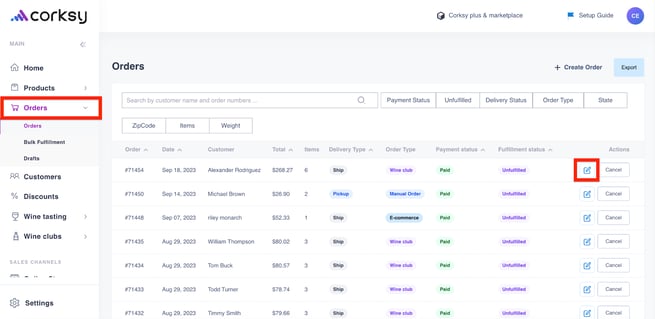
Login to your Corksy account > Select the Orders tab & select an individual order (pencil icon)
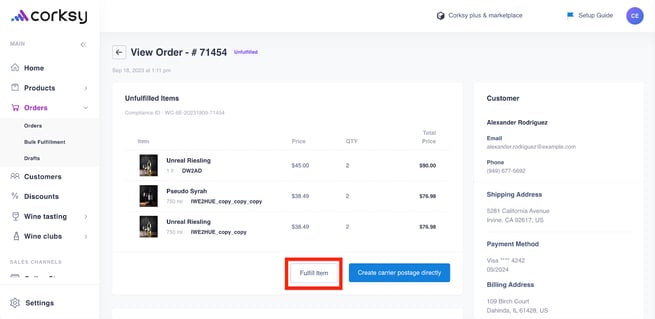
Once the individual order has been opened, select Fulfill item
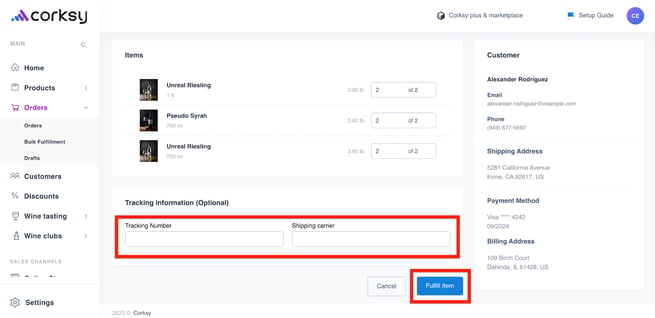
Enter the tracking number & shipping carrier > click Fulfill item